ask your ai what's happening on the ground
Connect your AI assistant to Crowd Threat's verified, human-reported threat data. No portal to log into: ask questions in plain English and get answers that show the verification status and confidence of every incident.
Two incidents within 5km of your office:
The cordon report is still unverified and comes from a newer reporter, so treat it as an early signal.
every report on the map, one question away
The same verified incidents our reporters put on the Crowd Threat map flow through the MCP straight into your AI assistant. Ask about a region and it pulls the live reports, with status and confidence attached.

38 incidents, mostly security and conflict reports and military movement, plus maritime activity in the shipping lanes.
verified threat reports a day
reporters in a verified global network
countries our reporters are based in
Reported
Live at once, marked Unverified with a confidence score
AI triage
Checks title, category, summary, location and timeline
Analyst
Corroborates the report and confirms the assessment
Verified
Or rejected, with the status carried into every answer
AI makes us fast; experienced analysts make us accurate. Every record carries the source, timing, precise location, category and verification status your AI needs to weigh it properly.
a direct line from your ai to our data
MCP (Model Context Protocol) is an open standard that lets AI assistants connect to outside data sources. Instead of copying and pasting reports into a chat, your AI looks up Crowd Threat data itself whenever your question needs it.
Your AI tool
You ask a question in plain English, in the assistant you already use.
Crowd Threat MCP
Turns your question into a search of our threat feed by place, time and category.
Verified threat data
Human-reported incidents from our global reporter network, with status and confidence.
no portal. your ai is the interface
Each step brought the data closer to the people using it. The MCP is the first where the data comes to you, inside the tools you already work in.
Reports
Word and PDF reports written by analysts. Static, and out of date the moment they land.
You read itPlatform
A portal with live data, but you have to log in, search and export to use it.
You go to itAPI
Data flows into your own systems, but developers decide in advance what to pull.
You build for itMCP
Your AI asks for exactly what each question needs. No portal, no build, no exports.
It comes to youground truth, wherever you work
General AI tools answer from what they were trained on or what they can scrape. The Crowd Threat MCP gives yours live, verified reporting from people on the ground, held to one standard everywhere.
Verified, not scraped
Answers come from incidents reported by people on the ground, each carrying its live verification status and a confidence level.
In the tools you already use
No new dashboard to learn and no exports. Your AI assistant pulls Crowd Threat data straight into the conversation.
One consistent feed
One set of categories, one clock and one verification process in every country, so your AI never has to reconcile sources that disagree.

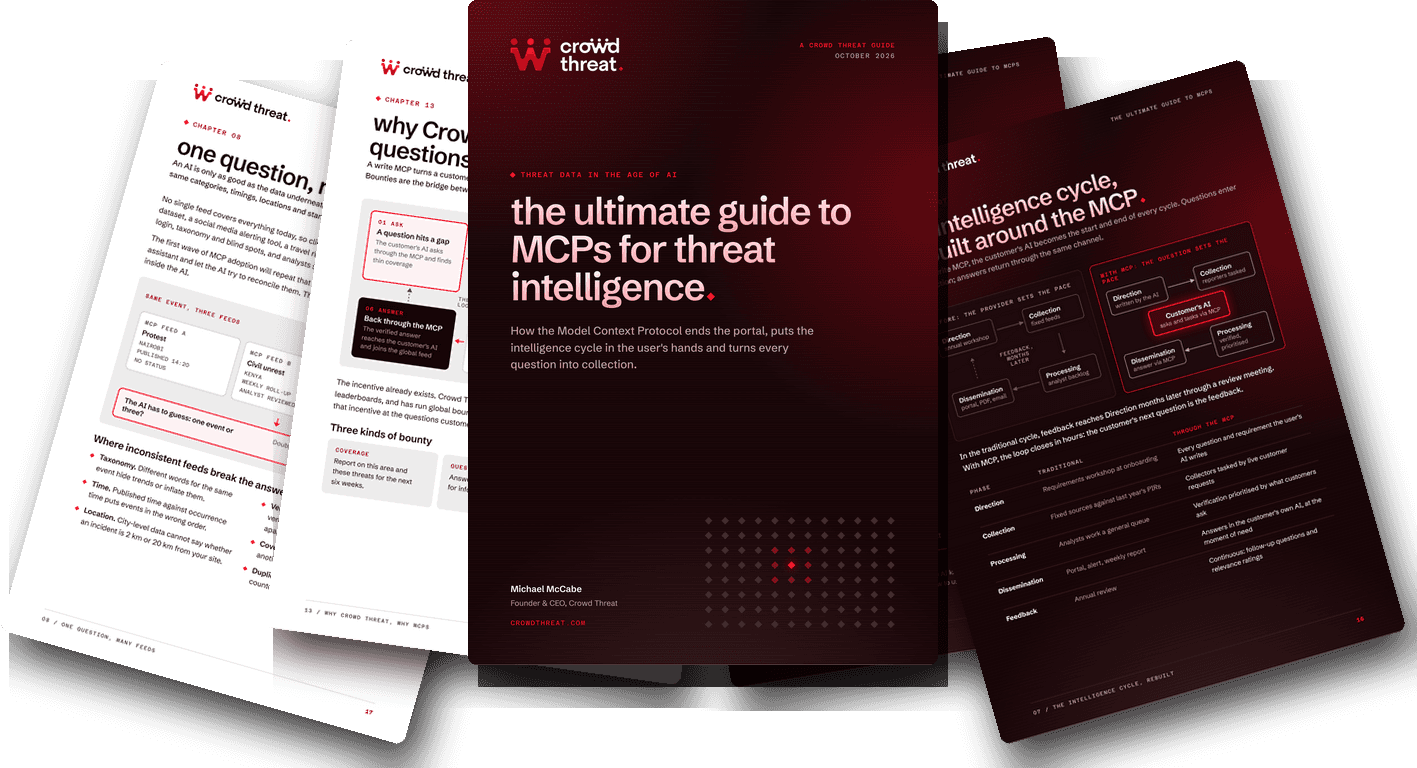
the ultimate guide to MCPs for threat intelligence
How the Model Context Protocol ends the portal, moves the whole intelligence cycle into the tools your team already uses, and turns every question into collection.
questions your ai can now answer
A few examples of what security, travel and risk teams can ask once they're connected, tagged by the stage of the cycle they cover.
"Any verified incidents within 5km of our Lagos office in the last 48 hours?"
"Summarise civil unrest reporting in Kenya over the last 30 days."
"What's been reported near these three hotels since Monday?"
"Draft this morning's security brief for our sites in Mexico City."
"Which of these reports are still unverified, and how confident should I be in them?"
"Compare reported protest activity in Paris and Berlin this week."
"We need more reporting around Port Harcourt for the next six weeks."
"Tell me about any unrest near our Lima sites as soon as it's reported."
"Find a second source for this single-sourced report."
from answering questions to directing collection
A read MCP lets your AI search our data. A write MCP lets your questions steer what our reporters collect next, so the feed gets more complete wherever you need it.
ask, and get verified answers
Your AI searches the Crowd Threat feed by place, time and category whenever a question needs it.
- Live incidents with status and confidence on every record
- Briefings, trends and comparisons drafted in your own tools
- Read-only access: your AI can look, but not change anything
questions become bounties
When a question finds thin coverage, we set a bounty and local reporters collect on it. The verified answer comes back through the MCP and joins the global feed.
- Coverage bounties for a place and set of threats over time
- Question bounties to answer one request, fast
- Corroboration bounties to find a second source
◆ The Crowd Threat MCP is live for read access today. Write functionality, including question-driven bounties, is in development.
questions to ask any mcp provider
Connecting a data source to your AI is easy. Choosing one you can trust takes a few sharper questions.
Is every record verified, and does it carry its status?
Your AI can only weigh a report properly if it knows whether a person has checked it.
Does each record include source, time and precise location?
Without that metadata, answers about a place or a time window are guesswork.
Is the data consistent across every region?
One set of categories and one clock, or your AI will compare things that don't match.
How is access controlled?
Look for authorised connections, read-only access by default and a clear account of what your AI can do.
What happens when the data is thin?
A fixed feed goes quiet. Ask whether the provider can direct new collection to the gap.
Can your questions shape collection?
With write access, the questions your team asks should make the feed more complete over time.
The full rollout plan and checklist are in the free guide.
connected in minutes
If your AI tool supports MCP, you can be asking questions of Crowd Threat data in three steps.
Get your access
Get in touch and we'll set you up with your Crowd Threat connection details.
Add Crowd Threat to your AI tool
Add the Crowd Threat MCP server as a custom connector in your AI tool's settings.
Start asking
Ask about any place, time window or type of incident, and your AI will pull in verified reporting.
what we've done with it
Real questions we've put to the Crowd Threat MCP from our own AI tools, and what came back.
first field notes landing soon
We're logging the real questions we ask the Crowd Threat MCP and what it finds. Check back soon.
common questions
put verified ground truth into your ai
Connect your AI tool to the Crowd Threat MCP and start asking questions of our global reporter network's data.

Join our open OSINT community.
Open to anyone interested in OSINT. Some areas are reserved for verified Crowd Threat reporters.

The Spire
Pilgrim Street
Newcastle upon Tyne
NE1 2DS
United Kingdom